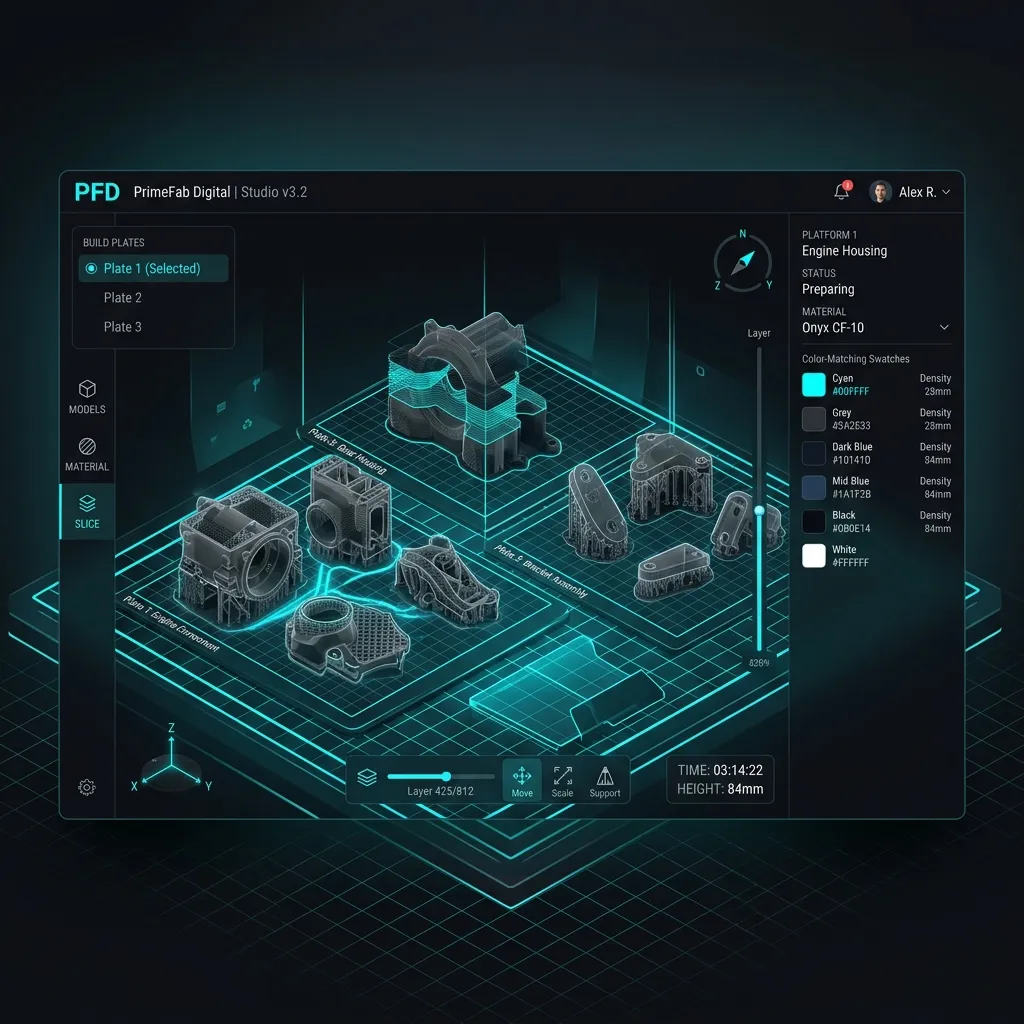
Order Journey V2: Multi-Plate, Multi-Color & Per-Plate
PrintStack3D · 2026-07-07
Redesigning the 3D Printing Experience
| Aspect | Before (V1) | With Order Journey V2 |
|---|---|---|
| Uploading files | Export and upload twenty separate STL files one by one | Drag and drop a single multi-file, multi-plate 3MF project |
| Settings | Every part shares the same settings, replicated manually | Independent material, nozzle, layer height, infill and quantity per plate |
| Startup fees | Stacked startup fees | A flat €7.50 startup fee per plate, amortized across your selected quantity |
| Color matching | Mapping model colors to stock is a manual chore | Automatic perceptual color matching against in-stock filaments |
If you design mechanical assemblies, custom enclosures, or multi-part tabletop models, you know the struggle of ordering 3D prints. Exporting twenty separate STL files, uploading them one-by-one, manually replicating settings for every single part, and paying stacked startup fees is a slow and expensive process.
Today, we are launching Order Journey V2 at PrintStack3D. Built from the ground up, this new system replaces complex forms with a streamlined, multi-file and multi-plate wizard. It makes ordering multi-part assemblies as easy as dragging and dropping a single file.
Here is a deep dive into the new features and technology now live on the platform.
Need this printed? Get an instant price for your model — upload it in the configurator with a free account.
1. Native 3MF Multi-Plate Parsing
The .3mf format is rapidly replacing .stl as the industry standard for 3D printing because it contains not just geometry, but metadata about how parts are oriented, arranged, and colored.
Our new V2 engine natively parses .3mf files on upload. Since a 3MF file is actually a compressed ZIP archive containing XML and mesh data, PrintStack3D reads the assembly structure:
- Automatic Plate Detection: It identifies print plates (e.g., Plate 1, Plate 2) laid out in Bambu Studio or OrcaSlicer.
- Component Isolation: Each plate's components are isolated so you can visualize them exactly as they will print.
- Plate Exclusions: If your project contains a plate with alignment jigs or alternative parts you don't need, you can exclude that entire plate with a single click, removing it from your order and pricing.
2. Granular Per-Plate Configuration
| Setting | Options |
|---|---|
| Filament material | Different per plate — e.g. industrial PETG on one plate, aesthetic PLA Matte on another |
| Nozzle diameter | 0.4mm for standard parts, 0.2mm for plates with intricate text or fine details, 0.6mm for fast structural bases |
| Layer height | From 0.08mm (ultra-fine) to 0.20mm (fast) |
| Infill & post-processing | Infill density 10% to 100%; support removal and sanding toggled per plate |
In V1, your entire order had to share the same settings. In V2, we have introduced a visual Plate Carousel. You can now step through each print plate and customize its physical parameters independently:
- Filament Material: Print one plate in industrial PETG and another in aesthetic PLA Matte.
- Nozzle Diameter: Choose 0.4mm for standard parts, 0.2mm for plates containing intricate text or fine details, or 0.6mm for fast structural bases.
- Layer Height: Dial in layer heights from 0.08mm (ultra-fine) up to 0.20mm (fast).
- Infill & Post-Processing: Set infill density (10% to 100%) and toggle post-processing (support removal and sanding) for each plate individually.
3. Intelligent Perceptual Color Matching
Multi-color 3MF files look beautiful in CAD, but mapping those colors to a printing service's active inventory is usually a manual chore. PrintStack3D V2 automates this with a luminance-weighted color matching engine.
When you upload a multi-color model, the backend extracts the hex colors from the metadata (including painted triangles and multi-material extruders). It then runs a perceptual color distance algorithm against our active in-stock filaments:
distance = √(0.299·ΔR² + 0.587·ΔG² + 0.114·ΔB²)
This formula mirrors human visual perception of color luminance (where green and red are more noticeable than blue). The wizard automatically maps each region to the closest matching in-stock color and gives you a rating (e.g., Excellent or Good match). If you want to customize the look, you can manually override any color slot in the UI.
4. Complexity-Based & Amortized Pricing
We have rewritten our pricing engine to align costs with the physical reality of 3D printing:
- Amortized Startup Fees: Setting up a print bed (cleaning, leveling, calibration) takes time. We charge a flat €7.50 startup fee per plate, but we now amortize this cost across your selected quantity. Ordering multiple copies of a plate drops the per-unit cost significantly.
- Complexity Labor Charges: Support material removal is a manual, labor-intensive process. The V2 engine calculates the estimated support volume and applies a labor complexity fee. If your model prints cleanly without supports, you won't pay for labor you don't use.
5. Instant Visuals with Zero Loading Overhead
To show you what is on each plate, we wanted a 3D preview that loads instantly—even on limited mobile connections.
Instead of waiting for a heavy WebGL canvas (like Three.js) to download and initialize for every plate in the carousel, we built a custom SVG Isometric Viewer. It computes isometric projections of bounding boxes and mesh structures in milliseconds and draws them using lightweight, responsive vector graphics. If you need to inspect details closely, you can still toggle the full WebGL viewer on demand.
Give it a Spin
The V2 Order Journey is now live for all users. Upload your next design, explore the configuration options, and see the pricing break down in real-time.
Frequently Asked Questions
What new capabilities does Order Journey V2 bring to PrintStack3D?
Order Journey V2 lets you upload multi-file and multi-plate 3MF projects in one session, configuring distinct materials, colors, layer heights, and quantities per plate.
Does the quoting tool automatically detect colors inside 3MF files?
Yes—our 3MF parser extracts every build plate and embedded RGB filament assignment from Bambu Studio or OrcaSlicer files and matches them automatically to our live stock.
Can I orient my part onto a specific flat face before slicing?
Yes, our interactive 3D viewer lets you select any planar face to lay flat on the build plate before our cloud slicer computes the exact print time and price.